How to Save Reddit Videos on iPhone Without App
You’re scrolling Reddit on your iPhone, you find a hilarious or useful video — and you want to save it. But Reddit’s native app only lets you share videos, not download them. And when you try to use the “Save Video” option, nothing happens, or the downloaded file is completely silent.
Sound familiar?
Here’s the good news: you can save any Reddit video on iPhone — with full audio, in HD quality — without installing a single app. All you need is Safari and a free online tool.
In this guide, you’ll learn:
- Why Reddit videos don’t save properly on iPhone
- The easiest no-app method to download Reddit videos on iOS
- How to save the video directly to your Camera Roll
- Fixes for common iPhone download issues
Let’s get into it.
Why You Can’t Directly Save Reddit Videos on iPhone
Before the fix, here’s why the problem exists in the first place.
Reddit hosts its videos on a platform called v.redd.it, which splits video and audio into two separate streams. Reddit’s own player merges them in real time while you watch — but when you try to download the video, iOS only captures the video stream, leaving you with a silent file.
On top of that, iPhone’s iOS system restricts background downloads from browser tabs, which is why “Save Video” on Reddit often does nothing at all.
The solution is to use a tool that merges both streams on the server side before sending you the complete file — so you get a proper, audio-included MP4 in a single tap.
What You’ll Need
- An iPhone running iOS 13 or later
- Safari browser (recommended over Chrome for iOS downloads)
- The Reddit post URL of the video you want to save
- That’s it — no app download required
Step-by-Step: How to Save Reddit Videos on iPhone Without App
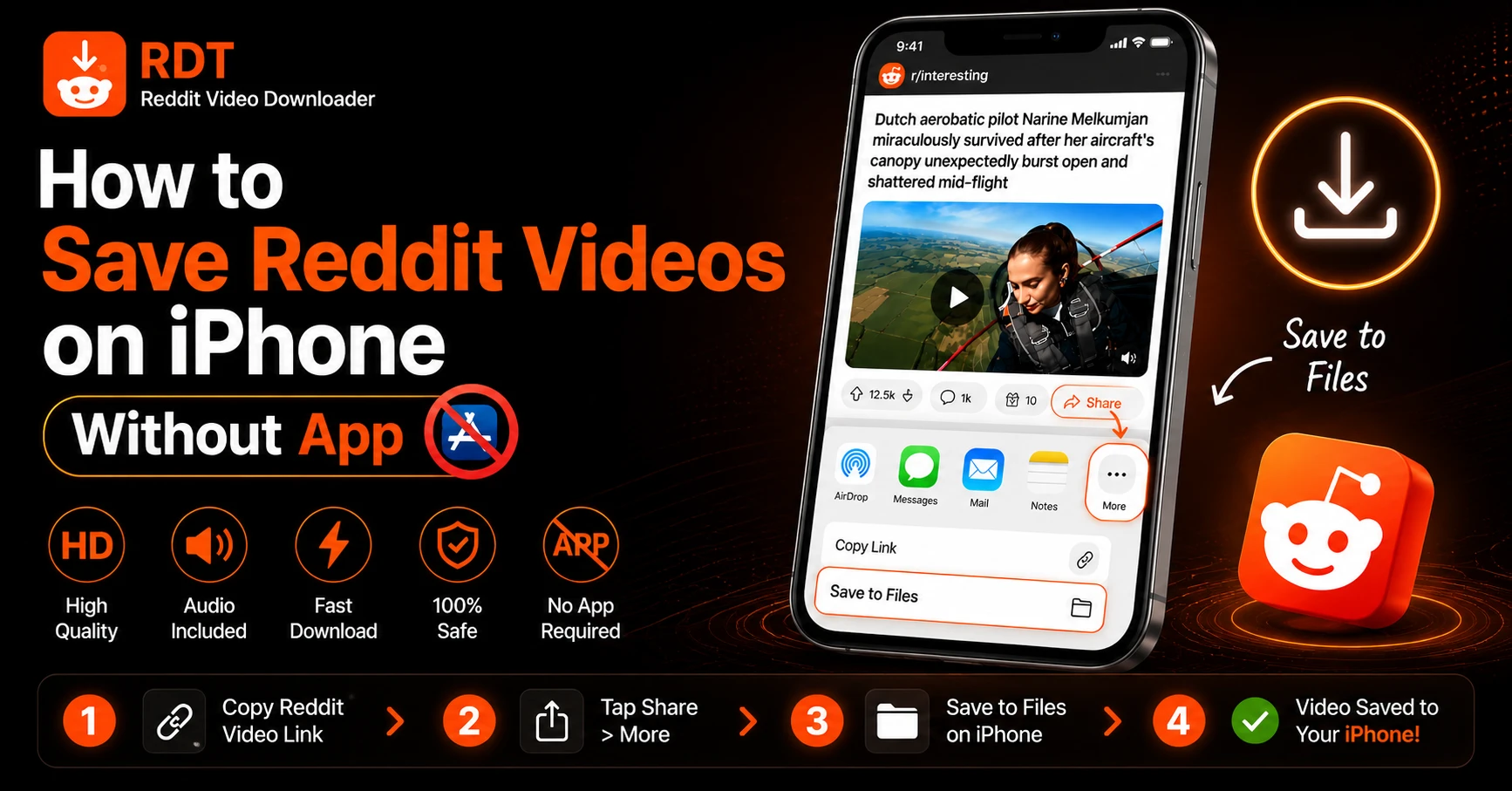
Step 1: Copy the Reddit Video URL
Open the Reddit app or Reddit in Safari and find the video you want to save.
In the Reddit app:
- Tap the Share icon (arrow pointing up) below the post
- Tap Copy Link
In Safari on Reddit.com:
- Tap and hold the post title or the video
- Tap Copy — or tap the Share icon → Copy Link
The URL will look something like:https://www.reddit.com/r/subreddit/comments/xxxxxx/post-title/
Step 2: Open RDT Video Downloader in Safari
Open a new Safari tab and go to:
This is a free, browser-based Reddit video downloader that works fully on iPhone — no app installation needed. It runs entirely in Safari, which means iOS treats it like any normal file download.
Important: Use Safari, not Chrome or Firefox. iOS only allows proper file downloads through Safari’s native download manager. Chrome on iOS will often fail to save the MP4 correctly.
Step 3: Paste the URL and Process the Video
Tap the input box on the RDT homepage and paste the Reddit URL you copied. Tap Get Video.
RDT’s servers will:
- Locate the video and audio streams from Reddit’s v.redd.it system
- Merge them into a single, complete MP4 file
- Prepare download links in multiple resolutions (up to 1080p)
This takes about 2 seconds for most videos.
Step 4: Download the Video to Your iPhone
Once the download options appear, choose your preferred video quality (select the highest available for best results).
Now here’s the important part for iPhone:
Do NOT just tap “Download” — you need to long-press for the iOS download menu:
- Tap and hold the Download button
- A menu will appear — tap “Download Linked File”
- Safari’s download manager will handle the rest
You’ll see a small download indicator appear in the Safari address bar (a downward arrow icon). Tap it to monitor progress.
Step 5: Find Your Downloaded Video
Once the download completes, the video is saved in your Files app under:Files → On My iPhone → Downloads
Or tap the download arrow in Safari’s toolbar → tap the file to open it directly.
Step 6: Save the Video to Your Camera Roll (Optional)
If you want the video in your Photos app / Camera Roll instead of the Files app:
- Open the Files app
- Navigate to On My iPhone → Downloads
- Find the downloaded MP4 file
- Tap and hold the file → tap Share
- Tap Save Video
The video will now appear in your iPhone’s Camera Roll with full audio, ready to share on WhatsApp, Instagram, iMessage, or anywhere else.
Alternative Method: Using Safari’s Share Sheet
Some users find this method even faster:
- On the RDT results page, tap the desired quality link
- The video may open in a full-screen Safari player
- Tap the Share icon (box with upward arrow) at the bottom of the screen
- Tap Save to Files or Save Video depending on the options shown
This skips the long-press step and can be quicker for shorter videos.
How to Download Reddit Videos with Audio on iPhone
The method above automatically includes audio because RDT merges both streams before the download. But here are a few things to confirm audio will be included:
- Make sure the original Reddit post actually has audio (some posts are silent by nature — user-posted GIFs or muted clips)
- Always use rdtvideodownloader.com rather than right-clicking/saving from Reddit directly
- Select a resolution option from the RDT results page — don’t try to download from the Reddit URL itself
If a video truly has no audio even after using RDT, it means the original uploader posted it without sound. RDT cannot add audio that was never there.
How to Save Reddit GIFs on iPhone
Reddit GIFs are technically short video files (usually hosted as MP4 or .gifv format). RDT supports them too:
- Copy the Reddit GIF post URL
- Paste into rdtvideodownloader.com
- Download as MP4 — a much smaller file than actual GIF format
- Save to Files or Camera Roll as described above
Saving as MP4 is better than saving as GIF because the file size is up to 90% smaller at the same visual quality.
How to Save Reddit Videos on iPhone Using Chrome (Workaround)
If you prefer Chrome over Safari, the direct download method is more complicated on iOS because Chrome doesn’t use Apple’s native download manager. Here’s a workaround:
- Paste the Reddit URL into RDT on Chrome
- When the video link appears, tap it — the video may open in Chrome’s video player
- Tap the Share icon in Chrome → Open in Safari
- In Safari, tap and hold → Download Linked File
This is more steps, which is why Safari is strongly recommended for iPhone downloads.
Common Problems and Fixes
Download Linked File” option not appearing
This usually means you’re using Chrome instead of Safari. Switch to Safari and try again.
Video saved but no audio
- Confirm the original Reddit video has audio (play it on Reddit first with sound on)
- Re-download using RDT — don’t use Reddit’s own share/save feature
File saved but won’t play in Photos
- The file is likely in your Files app, not Camera Roll
- Open Files → Downloads → find the MP4 → Share → Save Video
Download arrow not appearing in Safari
- Make sure you’re on iOS 13 or later (download manager was introduced in iOS 13)
- Try restarting Safari and repeating the process
RDT says “Video not found”
- The post may be from a private subreddit — those require login and can’t be downloaded
- Double-check the URL is a full Reddit post link, not just the video file URL
Can You Save Reddit Videos on iPhone Without Safari?
Technically yes — there are Reddit downloader apps on the App Store such as Rocket for Reddit or Apollo (now discontinued). However:
- These require app installation and setup
- Many have limitations on video length or quality
- Some charge subscription fees for download features
Using rdtvideodownloader.com in Safari remains the fastest, free, zero-install option for iPhone users. No account, no subscription, no storage used by an extra app.
Privacy and Safety
A common concern with online downloaders is privacy. Here’s what you should know about RDT:
- RDT does not store your Reddit URLs after processing
- No account or email required
- No ads injected into downloaded videos
- The tool processes videos directly from Reddit’s CDN — your data stays between you and Reddit’s servers
- HTTPS encrypted connection at all times
Summary: Quickest Way to Save Reddit Video on iPhone
Here’s the whole process in 30 seconds:
- Copy the Reddit post URL (Share → Copy Link)
- Open Safari → go to rdtvideodownloader.com
- Paste URL → tap Get Video
- Tap and hold the Download button → tap Download Linked File
- Open Files app → Downloads → find your video
- (Optional) Long-press the file → Share → Save Video to move it to Camera Roll
That’s it. Full HD video, with audio, no app needed, completely free.